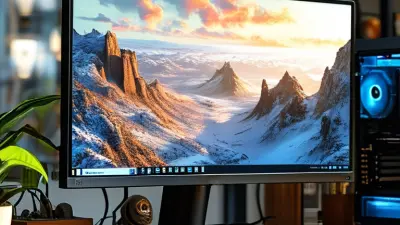
Choosing a 25 Inch Gaming Monitor is less simple than comparing screen sizes. Desk depth, viewing distance, graphics hardware, and game type all change the decision. A compact panel can feel sharp and responsive on a small desk. It may also expose weak contrast or poor motion handling more clearly.
Newzoo’s 2024 Global Games Market Report estimates 3.42 billion players worldwide. That figure signals strong demand for better gaming experiences, but it does not prove that every player needs a larger display. Market estimates from Grand View Research also describe steady growth in gaming monitor demand. However, those reports group many sizes and technologies together. This is an important limitation.
John Peddie, founder of Jon Peddie Research, has said, “The display is the most important component in the gaming experience.” His point remains useful. A faster graphics card cannot repair blurry motion, uneven backlighting, or uncomfortable ergonomics. Still, the statement is not perfect. Audio, input latency, and game design also shape immersion.
A strong 25 Inch Gaming Monitor should balance resolution, refresh rate, response behavior, and panel quality. For competitive shooters, 240Hz may matter more than extreme resolution. For story-driven games, contrast and color accuracy can matter more. A 1080p model may suit modest hardware, while 1440p can produce finer detail at close range. Look closely. Check independent testing, not only manufacturer claims. Specifications can hide overdrive artifacts, dim HDR performance, or inconsistent quality. This guide examines those trade-offs with practical examples, credible testing, and a little skepticism. No single specification wins every desk.
Before choosing a 25-inch gaming monitor, define how you actually play. Fast competitive games demand smooth motion, low input delay, and clear movement during quick turns. Story-driven games need strong contrast, accurate colors, and comfortable viewing over several hours. Strategy and simulation games benefit from sharp text and enough workspace for detailed menus.
Think about your desk, too. A 25-inch display usually fits neatly on a compact desk, but viewing distance still matters. Measure the space between your eyes and the screen. Around an arm’s length is a practical starting point. If you sit too close, bright scenes may feel tiring. If you sit too far away, small interface elements can lose clarity.
I once chose a screen based only on size and ignored desk depth. That mistake made the display feel larger than expected.
Your daily scenario should guide the specifications. Choose a higher refresh rate if you play reaction-based games regularly. For mixed use, prioritize resolution, readable text, and an adjustable stand.
Check the available ports before buying, especially if you connect a console, laptop, or second display. Adaptive synchronization can reduce visible tearing, but it cannot fix poor game settings or unstable hardware performance. Test the monitor with familiar games when possible. Menus reveal sharpness. Dark levels reveal uneven lighting. Real use matters more than a specification sheet.
How to Choose a 25 Inch Gaming Monitor?
On a 25-inch, 16:9 screen, 1920×1080 produces about 88 pixels per inch. That density keeps menus readable and usually supports higher frame rates. A 2560×1440 panel reaches roughly 117 PPI, making distant targets, foliage, and small text noticeably cleaner. DisplayMate’s display testing reports consistently connect higher pixel density with finer image detail. The difference is visible at a typical 60–80 cm desk distance.
Resolution also changes the workload on your graphics system. Compared with 1080p, 1440p renders 78% more pixels per frame. That can reduce frame rates unless your hardware has enough headroom. IDC’s gaming-display research identifies resolution and refresh rate as major purchase factors, but the report does not remove the performance trade-off. Pixels matter. Refresh rate matters too.
For competitive games, a 25-inch 1080p screen may feel responsive and forgiving. For strategy games, editing, or cinematic titles, 1440p offers sharper edges without the heavy 4K burden. A 3840×2160 panel delivers about 176 PPI, yet interface scaling may become necessary. ITU-R BT.500 viewing guidance also shows why distance affects perceived sharpness. I would not choose 4K automatically. More detail can become wasted detail when your desk is deep, your eyesight varies, or the game rarely reaches a stable frame rate.
How to Choose a 25 Inch Gaming Monitor?
Evaluate Refresh Rate, Response Time, and Motion Clarity
A 25-inch gaming monitor should match your games and graphics card. Refresh rate shows how many frames the display can present each second. A 144Hz panel feels noticeably smoother than a 60Hz model during quick camera movements. Higher rates can help, but only when your system regularly produces enough frames. Otherwise, you may pay for performance you rarely see.
Response time measures how quickly pixels change color. Look for a measured gray-to-gray result, not only an advertised number. Some panels claim extremely low figures under special settings. Those modes can create bright trails or dark overshoot. I once preferred the fastest preset, then noticed pale shadows behind moving objects. The specification looked impressive. The image did not.
Motion clarity depends on several details. Refresh rate, pixel response, frame consistency, and backlight behavior all matter. Test the monitor with a fast racing game or a scrolling camera scene. Watch thin fences, character outlines, and subtitles during movement. Clear edges should remain readable without obvious smearing. Variable refresh support can reduce tearing when frame rates fluctuate. Keep it enabled during testing, but compare the image with it disabled. Results may change.
Check carefully.
A 25-inch screen also makes imperfections easier to notice at a normal desk distance. Sit about an arm’s length away and adjust brightness before judging motion. Review independent measurements when possible, because factory claims can be optimistic. My own mistake was ignoring uneven frame delivery; smooth averages hid distracting stutters. Look beyond the headline number.
Use the comparison below to match a 25-inch gaming monitor with your games, graphics hardware, and motion-clarity requirements. The values are practical target ranges rather than specifications for a particular manufacturer or model.
| Evaluation Dimension | Basic Gaming Target | Balanced Gaming Target | Competitive Gaming Target | What to Verify Before Buying |
|---|---|---|---|---|
| Refresh Rate | 120–144 Hz | 165–180 Hz | 240 Hz or higher | Higher refresh rates display more frames per second when the computer can supply matching frame rates. |
| Frame-Time Interval | 8.33–6.94 ms per frame | 6.06–5.56 ms per frame | 4.17 ms per frame or less | Frame time is calculated as 1,000 divided by refresh rate. Lower values can improve perceived responsiveness. |
| Advertised Response Time | 5 ms gray-to-gray or faster | 1–2 ms gray-to-gray | 1 ms gray-to-gray or lower | Response-time figures depend on the test method and overdrive setting; extremely aggressive overdrive can create inverse ghosting. |
| Measured Pixel Transition | Generally under 10 ms | Generally under 6 ms | Generally under 4 ms | Independent measurements across multiple transitions are more useful than a single advertised minimum. |
| Motion Clarity | Clearer than 60 Hz, with some visible trailing possible | Low trailing in most fast games | Very low trailing when response times remain consistent across refresh rates | Look for consistent transitions, low overshoot, and minimal dark-level smearing in reviews. |
| Variable Refresh Rate | Useful feature; target approximately 48–144 Hz | Target approximately 48–180 Hz | Target approximately 48–240 Hz or wider | Verify the supported VRR range, whether it works over the selected input, and whether low-frame-rate compensation is available. |
| Input Lag | Prefer less than 10 ms at the monitor's native refresh rate | Prefer less than 5 ms | Prefer approximately 1–3 ms | Input lag is separate from pixel response time. Check measurements at the intended resolution and refresh rate. |
| Recommended Resolution for 25 Inches | 1920 × 1080 (Full HD) | 1920 × 1080 for high frame rates | 1920 × 1080 for maximum competitive frame rates | Full HD is common at this size and is less demanding on the graphics card than higher resolutions. |
| Approximate Pixel Density | About 88 pixels per inch at 1920 × 1080 | About 88 pixels per inch at 1920 × 1080 | About 88 pixels per inch at 1920 × 1080 | Pixel density depends on resolution and screen size, not refresh rate. Higher density can improve text and image sharpness. |
| Connection Bandwidth | Use an input rated for at least 1080p at 144 Hz | Use an input rated for at least 1080p at 180 Hz | Use an input rated for 1080p at 240 Hz or higher | Check the monitor manual and cable requirements; the maximum refresh rate can differ between input types. |
| Best Use Case | Casual gaming, strategy games, and general use | Mixed gaming, action games, and everyday productivity | Fast competitive shooters, racing games, and esports-style play | Choose based on the games you play most often and the sustained frame rate your system can produce. |
| Practical Buying Priority | VRR support, reliable 120–144 Hz operation, and acceptable response consistency | 165–180 Hz, low input lag, balanced overdrive, and low motion blur | 240 Hz or higher, exceptionally low input lag, and consistent pixel transitions | Do not judge a monitor by refresh rate alone; refresh rate, response time, input lag, and VRR should work together. |
Key recommendation: For most 25-inch gaming setups, a 165–180 Hz Full HD monitor with effective VRR, low input lag, and independently verified response-time performance offers the best balance between smoothness, motion clarity, and hardware requirements.
How to Choose a 25 Inch Gaming Monitor?
Panel type shapes motion, contrast, and the image from your usual desk position. IPS panels usually deliver consistent colors and wide viewing angles. They suit multiplayer games, especially when friends watch from the side. VA panels create deeper blacks, often near 2,500:1 to 4,000:1 native contrast. However, dark scenes can show visible smearing. OLED panels respond extremely quickly, but static interface elements may require careful usage. My practical mistake was choosing contrast alone. Fast movement exposed weaknesses that specifications hid.
Color performance needs more than a “wide gamut” label. Look for near-100% sRGB coverage for normal games and at least 90% DCI-P3 coverage for richer content. The International Color Consortium identifies sRGB through IEC 61966-2-1, making it a useful comparison baseline. For accurate colors, a factory Delta E below 2 is a strong target. Still, factory claims can vary between units. A colorimeter remains more trustworthy.
Viewing angles matter even when you sit directly ahead. A 25-inch screen can shift brightness near its edges, particularly with budget VA panels. VESA’s DisplayHDR specification sets 400 cd/m² as the entry HDR brightness class, but brightness alone cannot guarantee convincing highlights. Check contrast, local dimming, and side-angle consistency together. Sit 60 centimeters away and inspect a gray test image. If corners look warmer or darker, reconsider. Specs are helpful, not sacred.
Compare common panel types by color coverage, viewing angle, and typical contrast performance. These representative values describe general industry characteristics rather than any specific product.
Color coverage is shown as typical sRGB coverage. Viewing angle is shown as a percentage of 180 degrees. Contrast values are displayed in units of 100: a value of 30 represents approximately 3000:1 contrast.
A 25-inch gaming monitor should make motion feel controlled, not merely fast. Adaptive sync helps match the display’s refresh rate with your graphics output. This reduces tearing when frame rates rise and fall. Check its supported refresh range, not just the maximum number. A monitor rated at 180 Hz may perform poorly below its usable sync range. I once ignored this detail. The image still stuttered during demanding games.
Connectivity deserves equal attention. DisplayPort often provides broader refresh-rate support, while HDMI may suit consoles and laptops. Confirm the port version before buying. USB-C can carry video, power, and data, but not every USB-C port supports all three. A built-in hub is useful for a keyboard and mouse. However, extra ports can add cost without improving gameplay. Test the cables you already own.
Ergonomic features affect long sessions more than expected. Choose a stand with height, tilt, and swivel adjustments. Your eyes should meet the upper third of the screen, with your neck relaxed. A 25-inch panel can sit close, but desk depth still matters. VESA support helps when the included stand feels limited. My own setup looked neat but caused shoulder tension. I adjusted the screen later and found the original position was simply wrong. Small adjustments matter.
How to Choose a 25 Inch Gaming Monitor?
A 25-inch gaming monitor should balance price, build quality, and long-term value. At this size, a 1080p resolution usually looks sharp from a normal desk distance. A refresh rate above 120Hz can make fast movement feel noticeably smoother. However, refresh rate alone does not guarantee a good experience. Check response behavior, motion clarity, and input lag from reliable test reports. Colors and viewing angles also matter if you use the monitor for work or streaming.
Build quality is easy to overlook. Gently test the stand for wobble, especially when adjusting the screen. A height-adjustable stand can reduce neck strain during long sessions. Look for sturdy controls, sensible port placement, and VESA compatibility. A weak stand may become annoying every day. I once saved money on a basic model, but its narrow stand made my desk feel crowded. That choice was not as economical as expected.
Long-term value includes warranty coverage, pixel policies, firmware support, and power consumption. Confirm that the included cable supports the advertised refresh rate. Some inexpensive displays offer impressive specifications but cut costs on speakers, buttons, or quality control. Read several independent reviews instead of trusting one rating. I also compare prices over time, because a small discount can hide an older panel design. Pay for useful durability, not flashy specifications.
Consider your game types, desk size, viewing distance, ports, and preferred image quality. Needs differ.
Yes, especially with a high refresh rate and low input delay. Smooth movement matters during quick turns.
Strong contrast, accurate colors, and comfortable viewing support long narrative sessions. Dark scenes reveal uneven lighting.
About an arm’s length is a practical starting point. Sitting too close may make bright scenes tiring.
A higher refresh rate can make rapid movement look smoother. It helps most in reaction-based games.
It matches screen refresh with graphics output, reducing visible tearing. It cannot repair unstable performance.
Yes. The maximum refresh rate can look impressive, but the lower usable range matters during demanding scenes.
Check DisplayPort, HDMI, and USB-C versions. Confirm support for your computer, console, laptop, and cables.
No. Some USB-C ports support only selected functions. Verify video, power, and data support first.
Height, tilt, swivel, and VESA support can improve comfort. Your eyes should meet the upper third of the screen.
Yes. A poor position may cause neck or shoulder tension. Small changes can feel surprisingly important.
No. Familiar games reveal sharp menus, dark-level problems, and motion behavior better than numbers alone.
Choosing the right 25 Inch Gaming Monitor starts with understanding your gaming habits, preferred genres, and available desk space. Consider whether you prioritize fast competitive play, immersive single-player visuals, or a balance of both. Compare resolution and pixel density carefully, since a sharper image can improve detail while demanding more from your computer. Refresh rate, response time, and motion clarity are also essential for smooth gameplay, especially during fast movement. A suitable panel type should provide strong color performance, good contrast, and comfortable viewing angles for your setup.
You should also review adaptive sync support, connection options, and ergonomic adjustments such as height, tilt, and rotation. These features can improve compatibility, comfort, and long-term usability. Finally, balance the monitor’s price with its build quality, warranty coverage, and expected lifespan. The best 25 Inch Gaming Monitor is not always the most expensive model, but the one that delivers the right combination of image quality, speed, comfort, durability, and practical features for your needs.